
Voxer Walkie Talkie Messenger
VoxerPro LLCCommunication
3.351.44K Reviews
- Version
- 5.3.2.23200
- Installs
- 10.00M
- Age Rating
- Everyone
Screenshots

Our Review of Voxer Walkie Talkie Messenger
 Analysis by Appyee
Have you ever wished you could turn your smartphone into a walkie-talkie? Well, that’s exactly what Voxer Walkie Talkie Messenger does, and it’s pretty darn cool! I’ve been playing around with this app for a while now, and let me tell you, it’s like having a little piece of the past mixed with today’s tech.
Getting Started with Voxer
First things first, downloading and setting up Voxer Walkie Talkie Messenger is a breeze. It’s available on both Android and iOS, so no matter what kind of phone you’re rocking, you’re good to go. Once you get it installed, you’ll need to create an account or sign in using your existing credentials. It’s as simple as that!
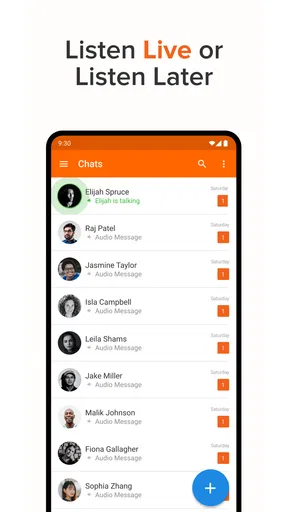
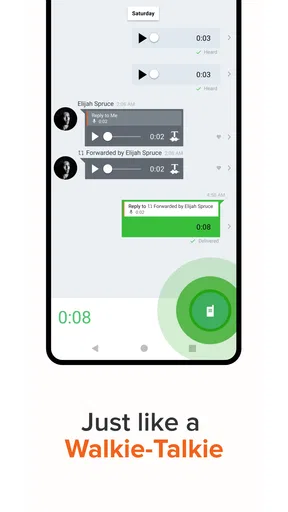
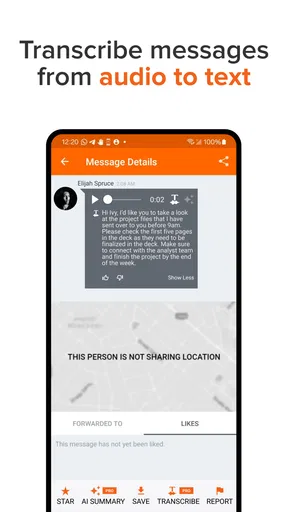
Now, what makes Voxer stand out from the usual messaging apps? It’s the combination of live voice, text, and photo sharing all rolled into one. It’s like having a chat app and a walkie-talkie, all in your pocket. You just press the button, talk, and your friends can listen in real-time or play it back later. Pretty nifty, right?
Features That Make Voxer Unique
Let’s dive into some of the features. One of the things I love is the live voice feature. It’s real-time communication at its best, perfect for those moments when texting just doesn’t cut it. It’s especially handy if you’re on the go or need to get a quick message across without typing.
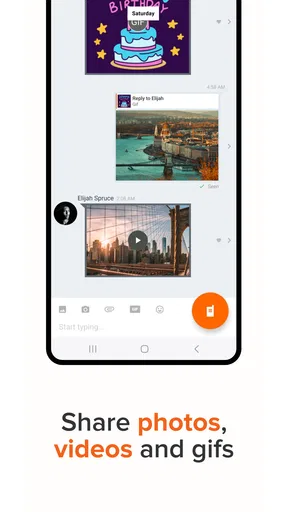
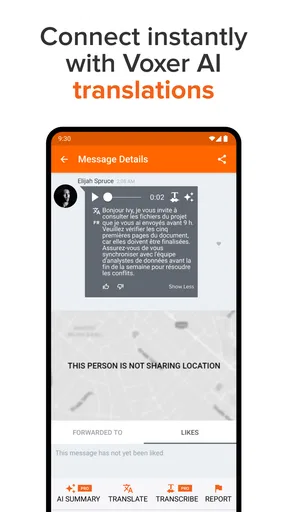
But wait, there’s more! You can also send text messages, photos, and even share your location. It’s like having a Swiss Army knife of communication tools all in one app. The versatility is fantastic, and it’s great for both personal and professional use.
Group Chats and More
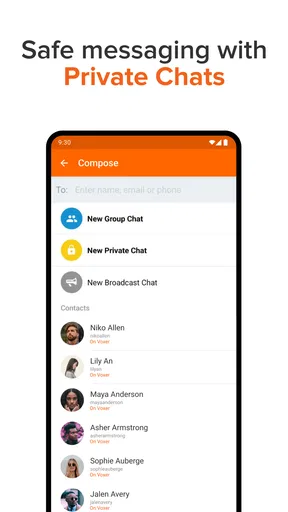
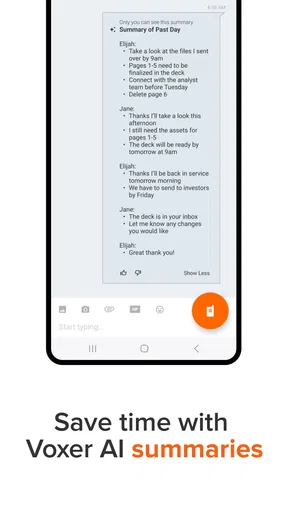
Another feature that’s worth mentioning is the group chat option. Whether you’re planning a get-together with friends or coordinating with colleagues, having everyone in one chat makes life so much easier. Plus, you can send voice messages to the whole group, so no one misses a beat.
Voxer also offers a Pro version, which includes some extra goodies like unlimited message storage, hands-free voice messaging, and even admin controls for group chats. It’s something to consider if you find yourself using the app regularly.
Performance and User Experience
In terms of performance, Voxer is pretty solid. The app runs smoothly, and I haven’t encountered any major hiccups. The interface is straightforward and easy to navigate, even if you’re not the most tech-savvy person out there. Everything is where you’d expect it to be, and the design is clean and uncluttered.
One thing I appreciate is the ability to play back messages at different speeds. It’s a small feature, but it can be super useful if you’re trying to catch every word in a long message.
Final Thoughts
All in all, Voxer Walkie Talkie Messenger is a fun and functional app that brings a unique twist to communication. Whether you’re using it for personal chats or business communication, it offers a versatile platform that’s both easy to use and effective.
If you’re tired of the same old messaging apps and want to try something a bit different, give Voxer a whirl. You might find it’s just what you’ve been looking for!
Verdict
Strengths of Voxer Walkie Talkie Messenger
- Real-time voice messaging is seamless.
- Supports text, photo, and video sharing.
- Works on Wi-Fi and cellular networks.
- Group chats with up to 500 contacts.
- Messages stored for later playback.
Limitations of Voxer Walkie Talkie Messenger
- Can drain battery quickly.
- Requires account registration.
- Notifications can be overwhelming.
- Limited customization options.
- Ads in the free version.
Similar Picks in This Category
View All
Google Messages
Google LLC4.6

Gmail
Google LLC4.1

Google Meet
Google LLC4.4

Google Chrome
Google LLC4.1

WhatsApp Messenger
WhatsApp LLC4.6

Carrier Services
Google LLC4.2
Frequently Asked Questions
What is Voxer Walkie Talkie Messenger and how does it work?
Voxer Walkie Talkie Messenger is a communication app that combines the functionality of a traditional walkie-talkie with modern messaging features. Users can send voice messages in real-time, as well as text, photos, and videos. The app allows live voice streaming or recorded messages, making it versatile for quick or detailed communication.
Is Voxer free to use, and are there any premium features?
Voxer offers a free version that includes basic messaging functions. However, there is also a Voxer Pro subscription available, which provides additional features such as message recall, extreme notifications, and unlimited message storage. This premium version enhances the user experience, especially for professional or intensive users.
Can I use Voxer without an internet connection?
Voxer requires an internet connection to function, as it relies on data to send and receive voice, text, and media messages. However, you can record messages offline, which will be sent once a connection is re-established. This makes Voxer ideal for areas with intermittent connectivity.
How secure is communication on Voxer?
Voxer uses industry-standard encryption to protect messages and user data. However, like all communication apps, users should be cautious with sharing sensitive information. Voxer provides privacy settings that allow users to control who can contact them, adding an extra layer of security.
On what devices can I use Voxer, and is it cross-platform?
Voxer is available for both Android and iOS devices, and it supports cross-platform communication. This means users can connect and communicate seamlessly regardless of their device’s operating system, making it a versatile tool for personal and professional communication.
